fairly nice hsla to rgba, hex conversion form: 'standardista'. 'the nice thing about standards is that there are so many to choose from'
HSLA - color : Hue, Saturation, Lightness, Alpha (transparency)
example:
#hsla {
background: hsla(207,38%,47%,.8);
}
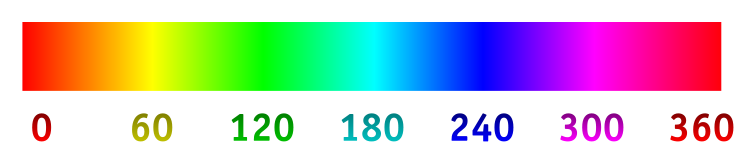
Hue Scale:
Saturation ('colorfulness'):

he saturation of a color is determined by a combination of light intensity and how much it is distributed across the spectrum of different wavelengths. The purest (most saturated) color is achieved by using just one wavelength at a high intensity, such as in laser light. If the intensity drops, then as a result the saturation drops. To desaturate a color of given intensity in a subtractive system (such as watercolor), one can add white, black, gray, or the hue's complement.
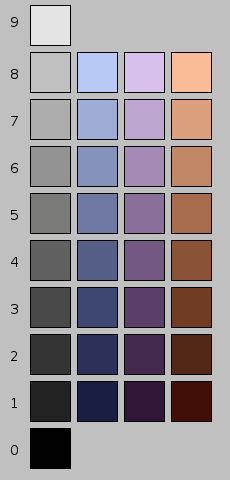
Lightness (brightness):
Alpha Channel (transparency):
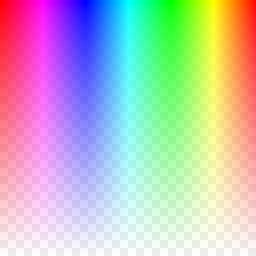
Alpha Channel is expressed in a decimal from 0.0 to 0.9 (maybe 1)
The HSL color space defines colors more naturally: Hue specifies the base color, the other two values then let you specify the saturation of that color and how bright the color should be.
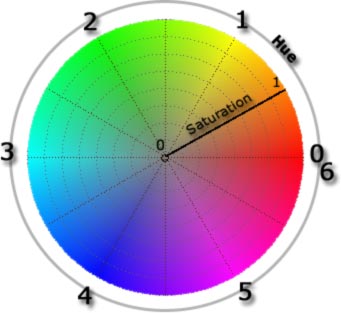
image at the left, hue specifies the color:
| Hue | Color |
|---|---|
| 0 | red |
| 1 | yellow |
| 2 | green |
| 3 | cyan |
| 4 | blue |
| 5 | magenta |
| 6 | red |
If you slowly increase the luminance, then you will see the color changing from black (=0) to a dark version of your color to your color in its full brightness (0.5), then even more brighter and finally it's white (=1).
The following six luminance sliders show you what happens with colors if you change the luminance:
| Hue | 0 | 1 | 2 | 3 | 4 | 5 | |
|---|---|---|---|---|---|---|---|
| Luminance | |||||||
| 1.0 |  |
 |
 |
 |
 |
 | |
| 0.9 | |||||||
| 0.8 | |||||||
| 0.7 | |||||||
| 0.6 | |||||||
| 0.5 | |||||||
| 0.4 | |||||||
| 0.3 | |||||||
| 0.2 | |||||||
| 0.1 | |||||||
| 0.0 | |||||||